

What Is GoEchoo? Everything You Need to Know
Meet GoEchoo — a smarter way to communicate. Discover how voice-to-text, AI-powered text cleanup, multilingual support, and more can help you spend less time typing and more time getting things done.
Om Pandey7 min read
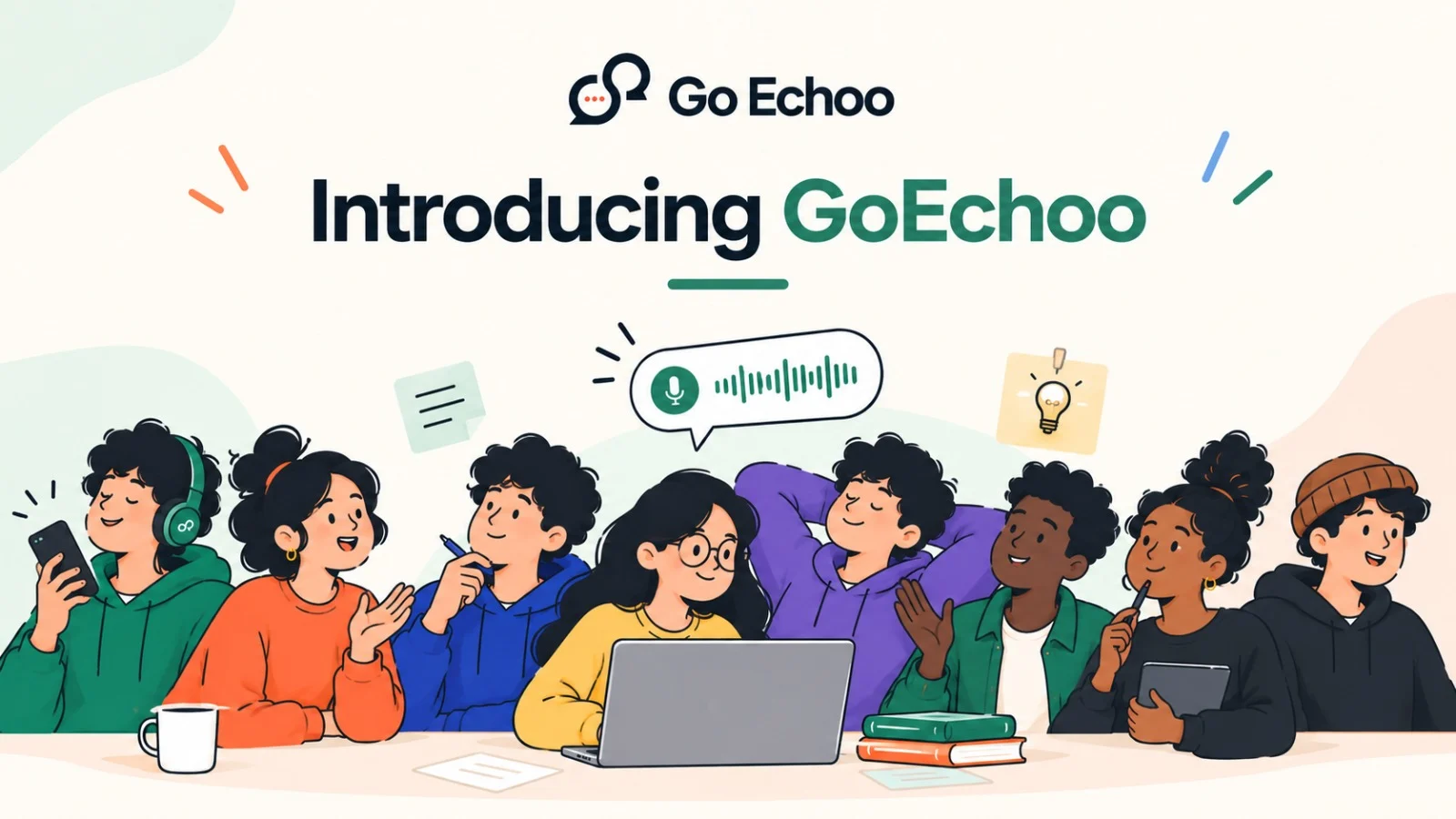
Typing is something most of us do every day.
We type emails, messages, notes, documents, search queries, ideas, and sometimes even entire conversations. But there are many moments when speaking feels much more natural than typing.
That is where GoEchoo comes in.
GoEchoo is a voice-to-text and dictation app designed for people who spend a lot of time typing. Instead of typing everything manually, you can simply speak naturally and let GoEchoo turn your voice into text wherever you are working.
Whether you are writing an email, replying to a message, taking notes, working in a code editor, or capturing a quick idea, the goal is simple:
Speak naturally. Get text instantly. Keep working.
What Exactly Is GoEchoo?
GoEchoo is a voice-first communication and productivity tool that converts your speech into text.
Unlike traditional dictation tools that may require you to stay inside a particular application, GoEchoo is designed to work wherever you are already typing. On desktop, you can activate it with a keyboard shortcut, speak, and have the resulting text appear where your cursor is.
For example, imagine you are writing an email.
Instead of typing:
"Hi, I wanted to follow up regarding the meeting we discussed yesterday..."
you can simply say it.
GoEchoo converts what you say into text and places it directly into the text field.
No copy-paste.
No switching between applications.
No breaking your workflow.
How Does GoEchoo Work?
Using GoEchoo is intentionally simple.
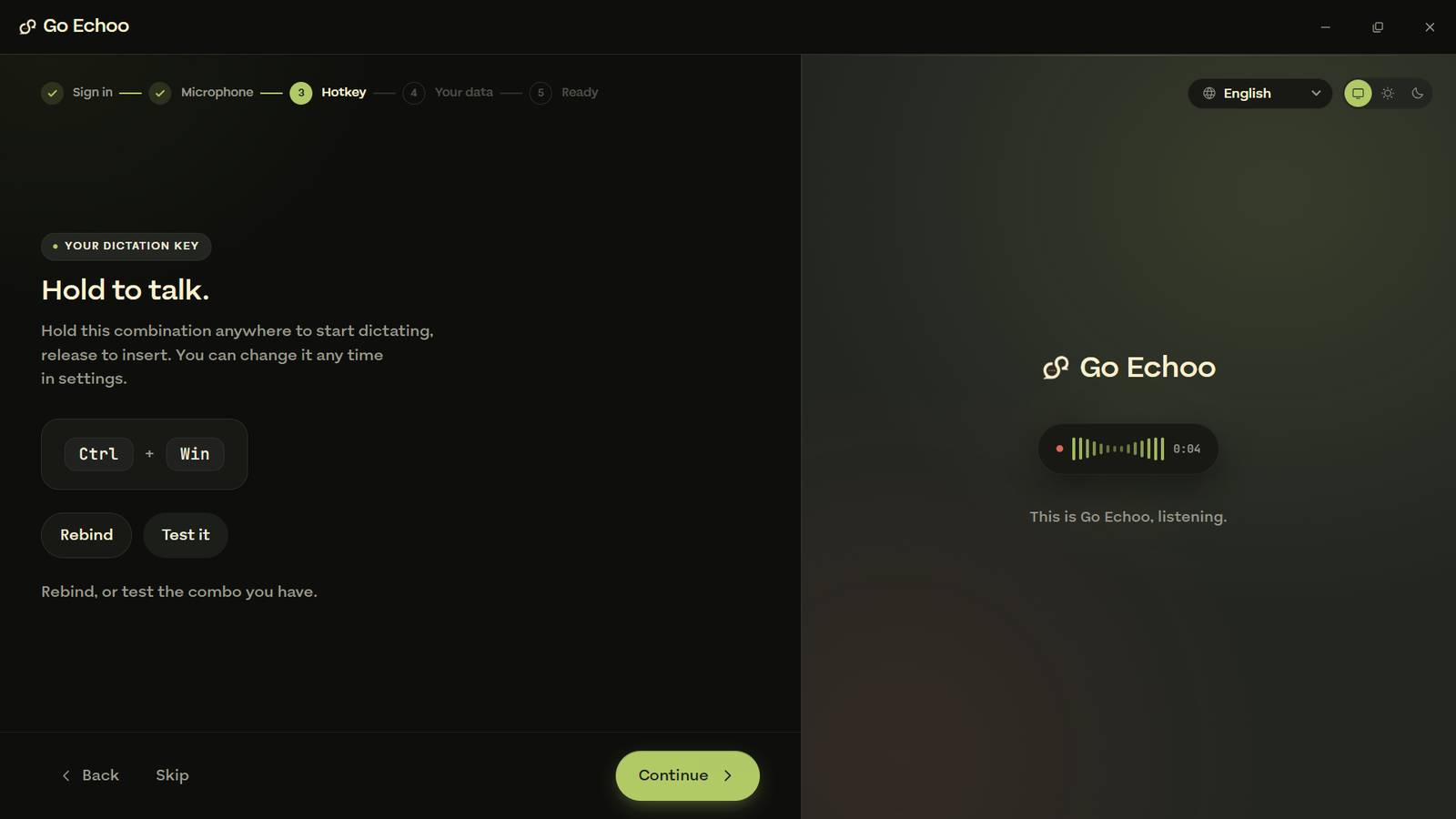
1. Activate GoEchoo
On desktop, hold the GoEchoo shortcut. On Windows, the default shortcut is Ctrl + Win, while Mac users can use Cmd + Option.
2. Speak Naturally
Say whatever you want to write.
You don't have to carefully pronounce every word or construct sentences like a robot. Speak the way you normally would.
3. Release the Shortcut
Once you finish speaking, release the key.
GoEchoo processes your speech and turns it into text.
4. Continue Working
The text appears directly where your cursor is.
That means you can continue working in the application you're already using.
Speak → Transcribe → Continue.
That's the basic idea behind GoEchoo.
Why Use Voice Instead of Typing?
Typing is useful, but it isn't always the fastest way to communicate.
When we speak, we can often express our thoughts much faster than we can type them. We also tend to speak more naturally—we explain, pause, change our sentences, and continue without worrying about every individual word.
This becomes especially useful when you are writing something long.
Think about:
Writing emails
Creating notes
Drafting messages
Brainstorming ideas
Writing documents
Searching the web
Taking quick reminders
Explaining something to someone
Instead of slowing down your thoughts to match your typing speed, you can simply speak.
GoEchoo is built around this idea: your computer should adapt to the way you communicate, rather than forcing you to communicate in one particular way.
Works Where You Already Work
One of GoEchoo's biggest advantages is that it isn't designed around a single application.
It can work with applications such as Slack, VS Code, Gmail, Notion, terminals, and other apps that contain text fields.
This means you don't have to open a separate dictation application, record your voice, copy the transcript, and paste it somewhere else.
You can simply speak where you are already working.
One voice. Everywhere you type.
That makes GoEchoo particularly useful for people who move between multiple applications throughout the day.
Hindi, Hinglish and Multiple Languages
Communication isn't always limited to one language.
Many people naturally switch between languages while speaking. For example, someone might say:
"Kal meeting ke liye presentation ready kar dena."
This isn't unusual—it is simply how many people communicate every day.
GoEchoo supports multiple languages and specifically includes Hindi and Hinglish, with automatic language detection and support for language switching. The current product information lists 27 languages on the desktop experience.
This makes voice typing more natural for multilingual users.
You don't necessarily have to force yourself to speak in one language just because you're talking to your computer.
Clean and Ready-to-Use Text
Speaking naturally doesn't always produce perfectly formatted writing.
We pause.
We repeat ourselves.
We use filler words.
We forget punctuation.
GoEchoo can clean up your speech and make the resulting text easier to read. Its available modes include AI polish, offline rules, and raw verbatim, allowing you to choose how much processing you want.
For example, your spoken sentence might sound like:
"Umm, can you send me the report tomorrow, I mean before lunch if possible?"
Instead of leaving you with messy speech-to-text output, the cleanup feature can help turn it into more polished text.
The idea is not just to transcribe your voice, but to make the result useful.
A Feature for Capturing Ideas: Super Memory
Sometimes you don't want your voice to appear in the application you're currently using.
Maybe you're working on something and suddenly remember an idea.
Maybe you want to make a quick note without interrupting your workflow.
GoEchoo's Super Memory feature provides a separate hotkey that lets you speak and save what you say as a new note instead of inserting it into the application you're currently using.
This can be useful for capturing ideas before they disappear.
Because sometimes the biggest problem isn't having a good idea.
It's forgetting it five minutes later.
Personal Dictionary
Every person has words that ordinary speech recognition may struggle with.
These could be:
Names
Product names
Technical terms
Company names
Industry-specific vocabulary
Custom terminology
GoEchoo includes a custom dictionary where you can teach it your own terms, with support for up to 50 custom entries.
This can make dictation more useful for people who regularly use specialized vocabulary.
What About Privacy?
Privacy is an important part of any voice-based application because you're literally speaking to your device.
GoEchoo states that it does not use screenshots, keystroke logging, analytics, or telemetry inside the product. Its privacy policy also explains that audio is uploaded for transcription only while you are actively dictating and is deleted after transcription.
Your dictation history and transcripts are kept on your device by default. Cloud sync is optional rather than automatically enabled.
That gives users more control over how their information is stored.
GoEchoo on Mobile
GoEchoo isn't limited to desktop.
The app is also available on mobile, where you can use voice to create text in applications such as WhatsApp, Gmail, Chrome, Slack, notes, and other apps containing text fields.
The mobile experience is built around the same basic idea:
Don't type it if you can simply say it.
Who Is GoEchoo For?
GoEchoo can be useful for almost anyone who spends a significant amount of time writing.
Students
Take notes, draft assignments, brainstorm ideas, or quickly write messages without typing everything manually.
Professionals
Write emails, Slack messages, meeting notes, reports, and documents faster.
Developers
Dictate comments, explanations, messages, or text while working in a code editor or terminal.
Content Creators
Capture ideas quickly before they disappear and turn spoken thoughts into written drafts.
Multilingual Users
Speak naturally across supported languages, including Hindi and Hinglish.
Anyone Who Types All Day
This is ultimately who GoEchoo is built for.
If you spend hours every day communicating through a keyboard, voice can become another way to get your thoughts onto the screen.
GoEchoo Isn't About Replacing Your Keyboard
It is important to understand that GoEchoo isn't trying to make keyboards obsolete.
Keyboards are still incredibly useful.
There are times when typing is simply better—writing code, editing a sentence, entering a password, navigating a document, or making precise changes.
The idea is to give you another option.
Type when typing makes sense. Speak when speaking is faster.
You shouldn't have to choose one method for everything.
Why GoEchoo Can Make Communication Feel Different
The interesting thing about voice isn't simply that it can make typing faster.
It's that speaking can change the way you express your thoughts.
When you type, you may think about spelling, punctuation, sentence structure, and how long the message will take to write.
When you speak, you can often just start talking.
Your thoughts can come out more naturally.
And that's the experience GoEchoo is trying to create: a way to communicate with your computer that feels closer to communicating with another person.
Getting Started With GoEchoo
Getting started is simple.
Download GoEchoo, set it up, choose your preferred settings, and start speaking.
You don't need to completely change the way you work.
Start with something simple.
Write your next email using your voice.
Create a note by speaking.
Reply to a message without typing the entire thing.
After a few attempts, you may find that there are certain tasks where speaking simply feels easier.
The Bigger Idea Behind GoEchoo
At its core, GoEchoo is about something very simple:
Communication shouldn't feel harder just because you're talking to a computer.
We've spent decades learning how to communicate with computers through keyboards, buttons, menus, and commands.
Now technology is becoming better at understanding the way humans naturally communicate.
Voice is not new.
But combining fast speech recognition, AI-powered text cleanup, multilingual support, and a workflow that works across applications makes voice much more practical for everyday work.
And that is where GoEchoo fits in.
Final Thoughts
GoEchoo is a voice-to-text tool designed to make everyday communication faster and more natural.
Instead of constantly stopping to type, you can speak your thoughts and turn them into usable text.
It works across applications, supports multiple languages including Hindi and Hinglish, offers text cleanup, provides tools such as Super Memory and a custom dictionary, and puts a strong emphasis on keeping your data under your control.
The goal isn't to eliminate typing.
It's to give you a choice.
Because sometimes the fastest way to write something isn't to type faster.
It's simply to say it.
Ready to try GoEchoo?
Hold a key. Start speaking. Let your words do the typing.